Watch the product demo — about a minute, real software, fictional team
For sales leaders, managers and executives
Sales Sherpa Team Camp

Set up your team. Manage your business. Collaborate at base camp.

Team Camp is base camp for your sales team: private performance reporting for you and your managers, and a shared campsite where the team talks in one chat and asks one shared library.

  • Your business, in one view. Team totals, targets and every rep’s numbers, private to you and the managers you add.
  • Performance reporting and strategy. Month, quarter and year to date, on the measures you choose, so you know where to focus next.
  • The campsite. One team chat and one shared library, open to everyone you invite. Answers come with the file and page.
  • Flag it and know it was seen. A flagged message emails the team, stays on top until each person taps Got it, and shows you who hasn’t.

A separate product from Sales Sherpa, Advanced and Hub. Pricing by request.
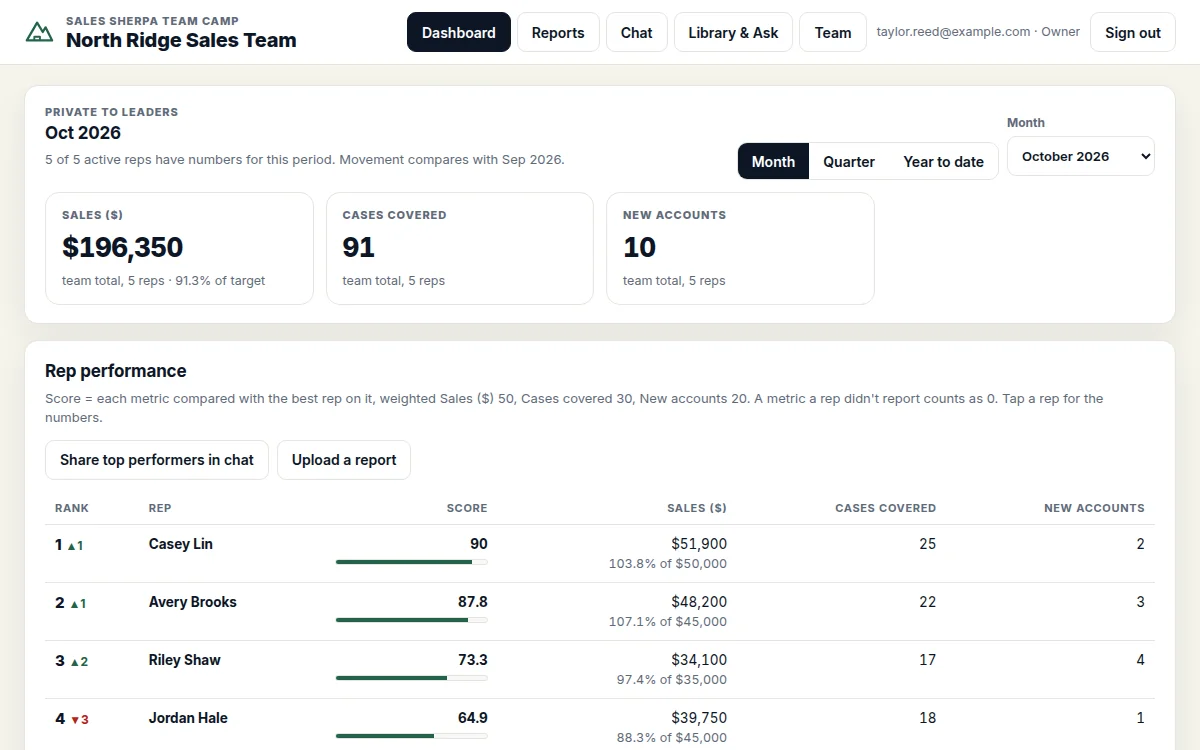
Sales Sherpa Team Camp leader dashboard with fictional reps
Product demo

Team Camp, live, in about a minute.

Real software, fictional team.

How it works

Set up camp in three steps.

Nothing to install. Everyone signs in with their email.

1

We open your camp

Team Camp is set up by request. You are the owner from day one.

2

Invite your team

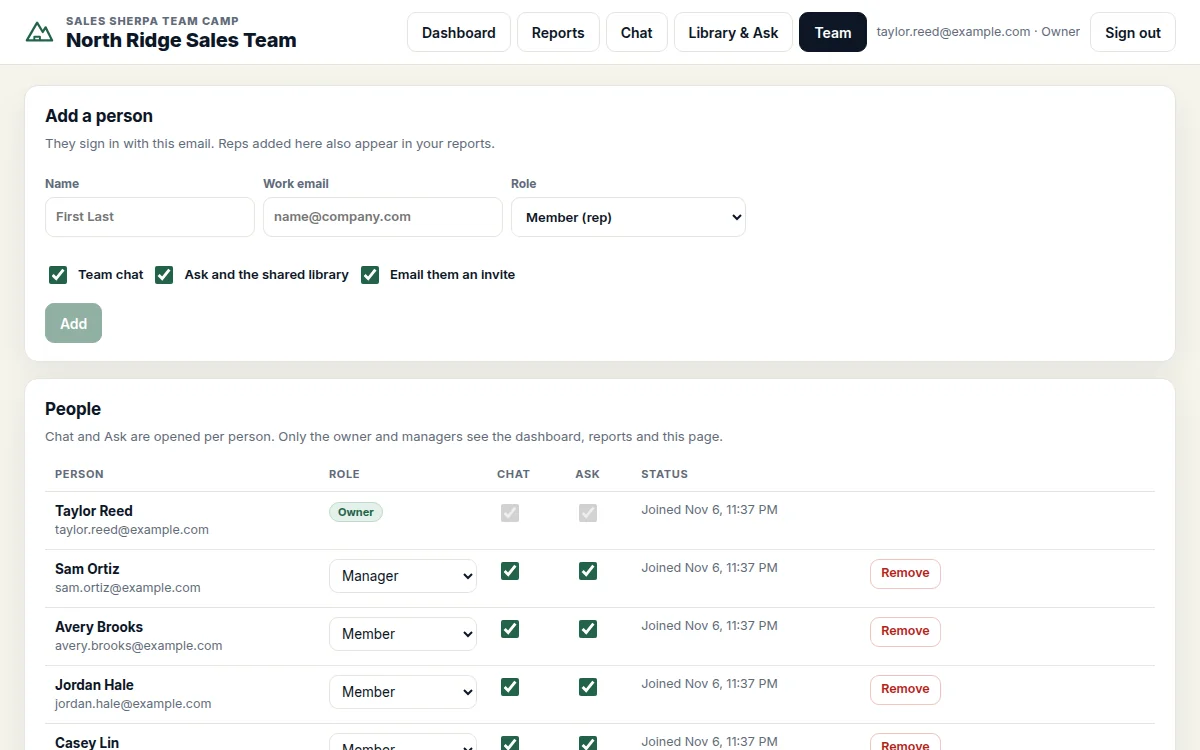
Invite people by email. Managers see the dashboard with you. For each rep, choose chat, Ask, or both.

3

Bring your numbers

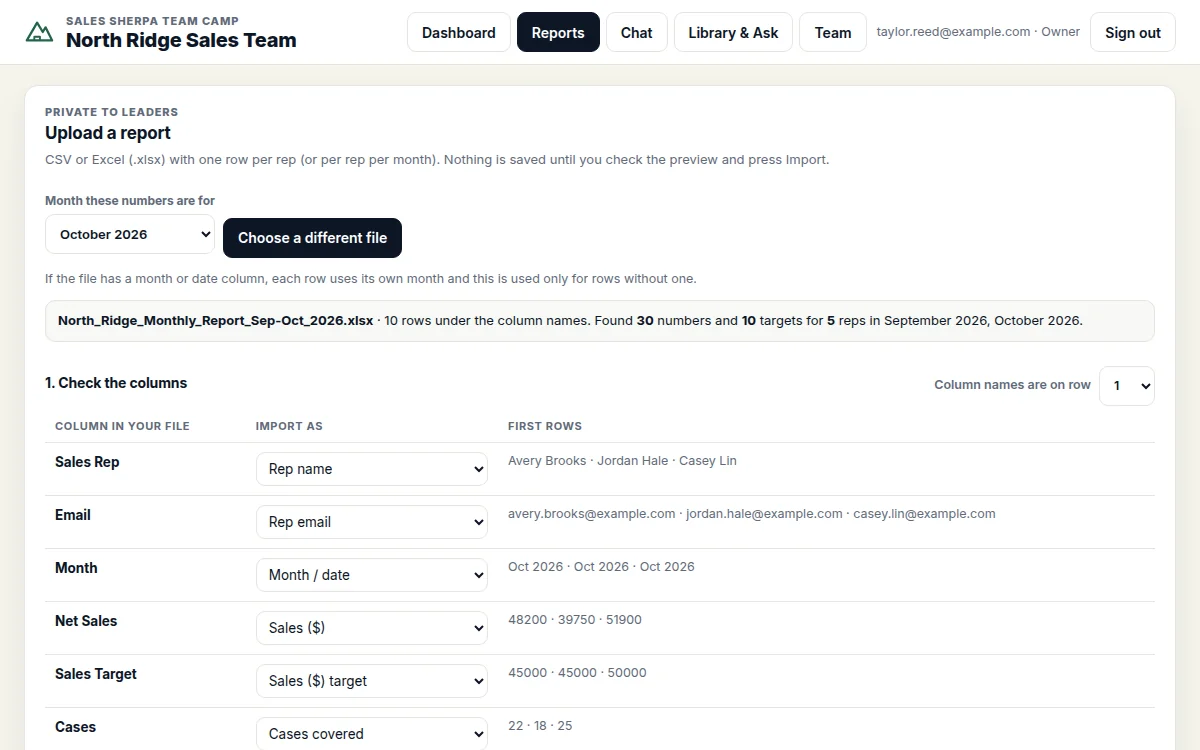
Upload the report you already have, check the preview, and apply. Or let reps enter their own.

Report upload preview in Sales Sherpa Team Camp
Upload a CSV or Excel report. See every number before it is saved, and undo any upload.
Team page in Sales Sherpa Team Camp
Team: who gets chat, who gets Ask, and who is a manager.
Performance reporting

Reporting that shapes your strategy.

Pick up to eight measures, such as revenue, units or new accounts, and how much each one counts. Set targets per rep, or measure each rep against the team’s best.

MonthThis month, with each rep’s move up or down since last month.
QuarterThe quarter so far, compared with the same point last quarter.
YearYear to date, January through the month you pick.

The dashboard stays private

Only you and the managers you add see the dashboard, the numbers and how each rep is doing.

Recognize top performers

Share the top performers in the team chat in one tap: place, name and score only. The numbers behind them stay with you.

The campsite · Team chat

One team chat. Your flag gets seen.

The campsite is where the team works together. Everyone you open chat to talks in one place, and the leader’s important messages don’t get lost.

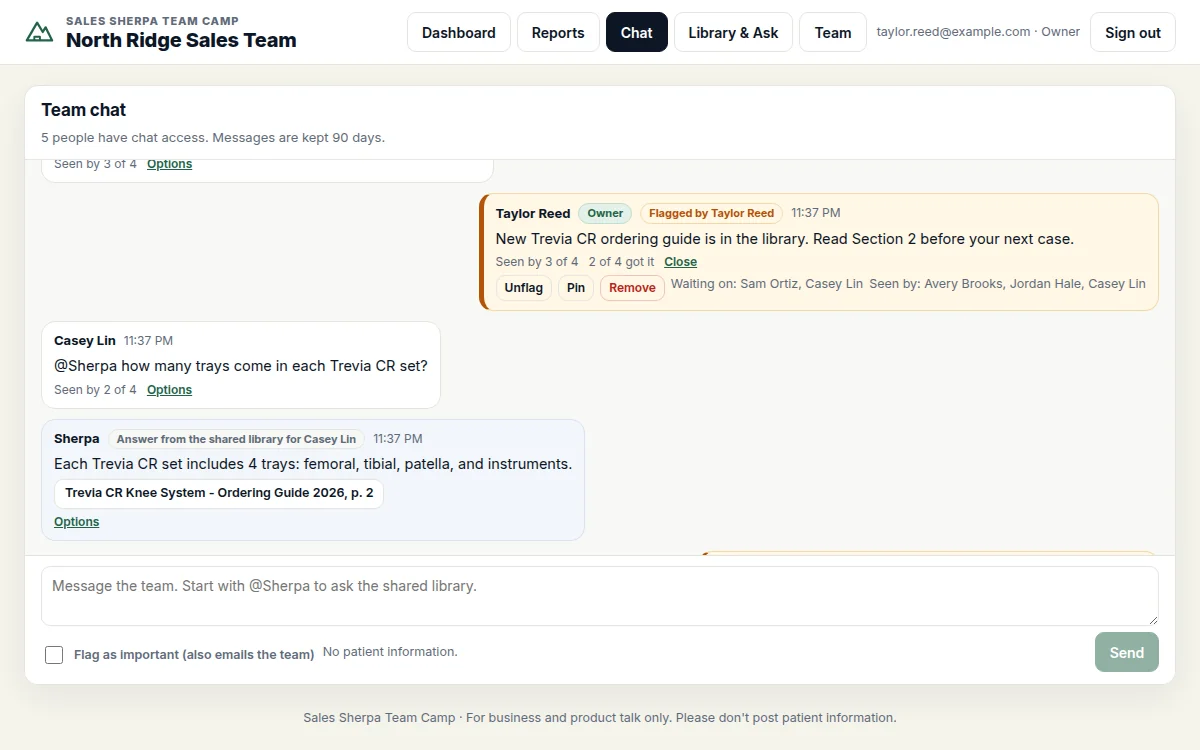
Flagged message in Sales Sherpa Team Camp chat

Flag

Leaders and managers flag a message. The team gets an email, and the message stays on top until each person taps Got it.

See who has seen it

Each flag shows how many people tapped Got it and who hasn’t yet.

Pin and keep

Pin up to five messages. Choose how long chat is kept: 30, 90, 180 or 365 days.

The campsite · Shared library & Ask

Upload once. Everyone you choose can ask.

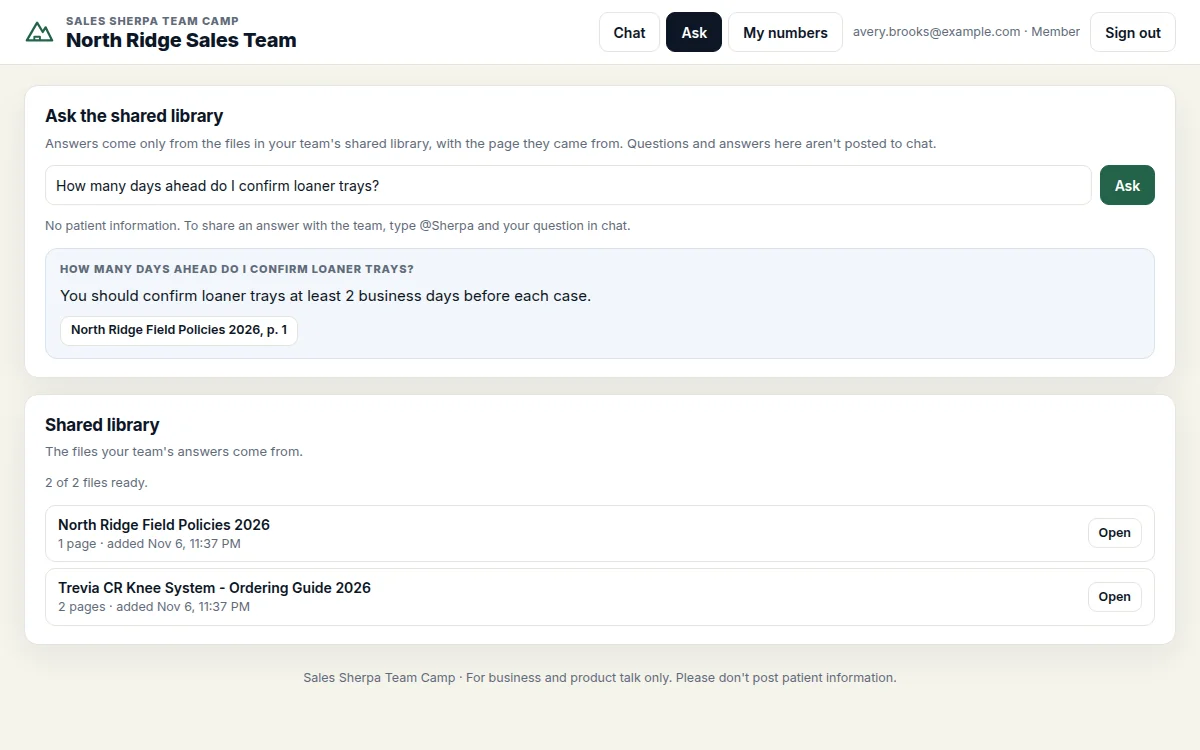
Leaders add the playbooks, price lists, product guides and policies. People with Ask get plain-English answers with the file and page.

PDFWordExcelCSVTextPhotos
Ask answer with file and page in Sales Sherpa Team Camp

Only from your files

Answers come from your team’s library. If the answer isn’t in the files, it says so instead of guessing.

Ask in the chat, too

Type @Sherpa in the team chat and the answer, with its sources, posts for everyone to see.

Who sees what

You decide, person by person.

Part of Team CampOwnerManagersReps and others
Dashboard, numbers and performance reports✓✓—
Upload reports and edit numbers✓✓—
Flag and pin messages, share top performers✓✓—
Add files to the shared library✓✓—
Team chat✓✓If you turn it onOptional
Ask the shared library✓✓If you turn it onOptional
Enter their own numbers——If you turn it onOptional
See their own standing——If you turn it on, their own onlyOptional, own only
Change settings and managers✓——

Reps never see another rep’s numbers.

Privacy

Business talk only.

Patient details stopped before they post

Chat and Ask refuse messages that look like patient information, such as a record number, a date of birth or a patient’s name. Everyone is reminded not to post it.

Your team only

Only the people you add can sign in to your camp. We never sell or share your data.

Numbers you control

Every upload shows a preview first and can be undone. Every number shows where it came from.

Remove anyone, any time

Take someone off the team and their access ends at once.

Pricing

By request.

Agreed in a short call, based on the size of your team.

Ask for pricing and a meeting

Email the owner of Sales Sherpa directly.

Questions

The short answers.

Do my reps need a Sales Sherpa subscription?

No. Team Camp is its own product. The people you add sign in with their email.

Can reps see each other’s numbers?

No. The dashboard and performance reports are for you and your managers. If you choose, each rep can see their own standing.

Where do the numbers come from?

A CSV or Excel report you upload, numbers you or your managers type in, or numbers reps enter themselves if you allow it.

What if an upload is wrong?

You see a preview before anything is saved, and you can undo an upload.

Does a flag email everyone?

It emails everyone with chat access, unless you turn flag emails off in Settings.

Can I post patient information?

No. Team Camp is for business and product talk. Messages that look like patient information are refused.

Is this part of Sales Sherpa, Advanced or Hub?

No. Each is its own product, sold separately, with the same sign-in.

How do I get started?

Email hello@getsalessherpa.com. We set up your camp and add you as the owner.

Base camp for the whole team.

Report on performance. Flag what matters. Answer from one library.